
Movement
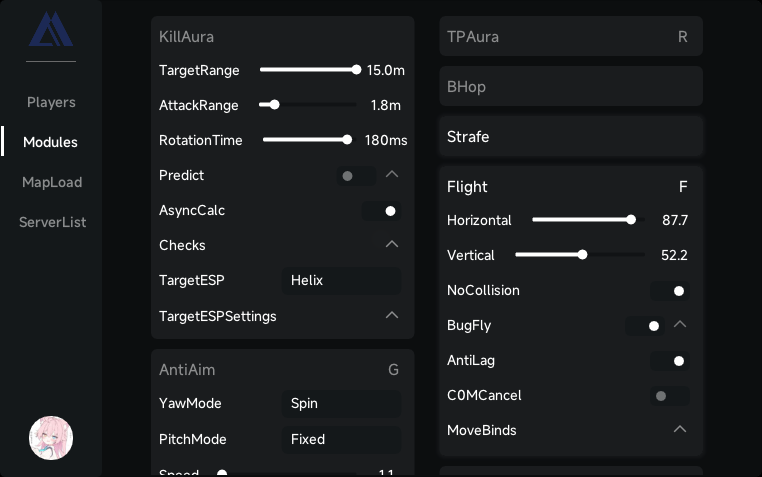
Flight, Strafe, BHop and Teleport. Configure each module and bind it to a key from the in-game menu.
 Archon
Discord
Flight, Strafe, BHop and Teleport. Configure each module and bind it to a key from the in-game menu.
ESP, FullBright, FreeCam and CameraManager, with individual settings for each module.
MapSeed and MapResizer for map settings. PlayerManager and ItemSpawner for player and item controls.
Save your module settings in a profile, load it later and switch between your own setups.
Browse Steam and EOS lobbies and manage players from the client interface.
Set keybinds, adjust visual effects and choose your language. All in the same menu.
Get access, follow client updates and ask for installation help on our Discord server.
Discord details are unavailable. Please check back later.
Escape the Backrooms on Windows 10 or 11, x64, using DirectX 12. Ask the team to confirm compatibility with your current game build.
Join the Discord server using Get Archon. The team will explain access options and help with activation and installation.
Yes. Save your module settings in configuration profiles and load them from the client.
Ask in the Discord server or use Contact support. Include your client version and game build so the team can help.